---
title: Your first task
sidebar:
label: Your first task
order: 2
---
Start with something small - a missing test, an unclear message,
or a bug you’ve been meaning to fix.
Describe the change you want to make, and Metaphor takes it from there.
## Choose where to work
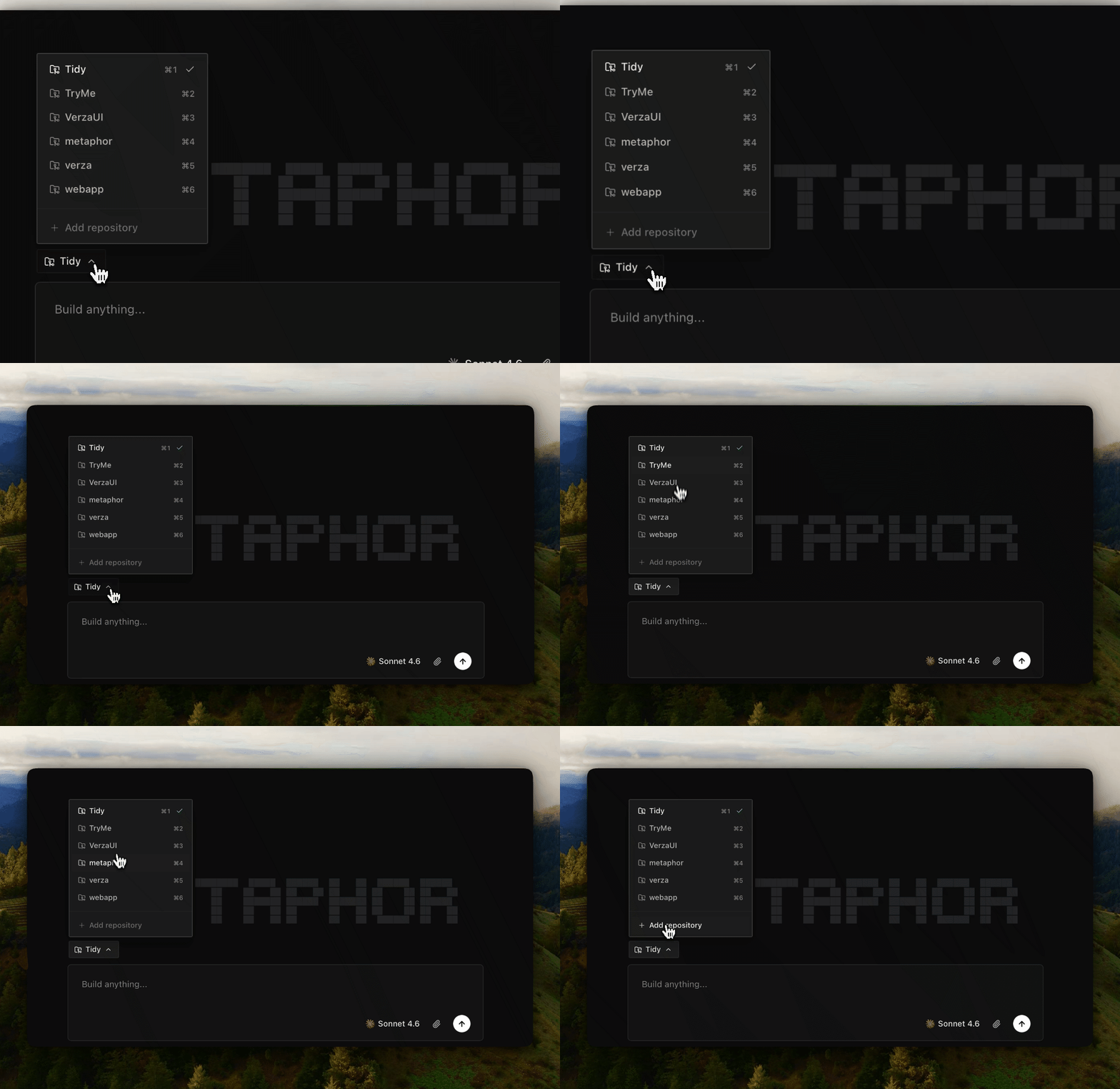
Select the repository you want Metaphor to work on.
Metaphor gives the task its own isolated worktree automatically, keeping its changes separate from your other work.
Learn more about [Worktrees](/worktree).
 ## Describe your change
Write what you want Metaphor to do. Focus on the outcome you want, not how to implement it.
For example:
> Add swipe actions to each task so I can edit or delete it.
Add any details or constraints that are important to you. Metaphor handles the implementation and verification.
## Start the task
Submit your request. Metaphor starts your chosen agent in the task’s isolated worktree.
From here, Metaphor coordinates the work and verifies the result. You can follow the agent's session or inspect the changes at any time.
## Review the result
When the pull request is ready, open the changes in
Metaphor or GitHub.
## Describe your change
Write what you want Metaphor to do. Focus on the outcome you want, not how to implement it.
For example:
> Add swipe actions to each task so I can edit or delete it.
Add any details or constraints that are important to you. Metaphor handles the implementation and verification.
## Start the task
Submit your request. Metaphor starts your chosen agent in the task’s isolated worktree.
From here, Metaphor coordinates the work and verifies the result. You can follow the agent's session or inspect the changes at any time.
## Review the result
When the pull request is ready, open the changes in
Metaphor or GitHub.
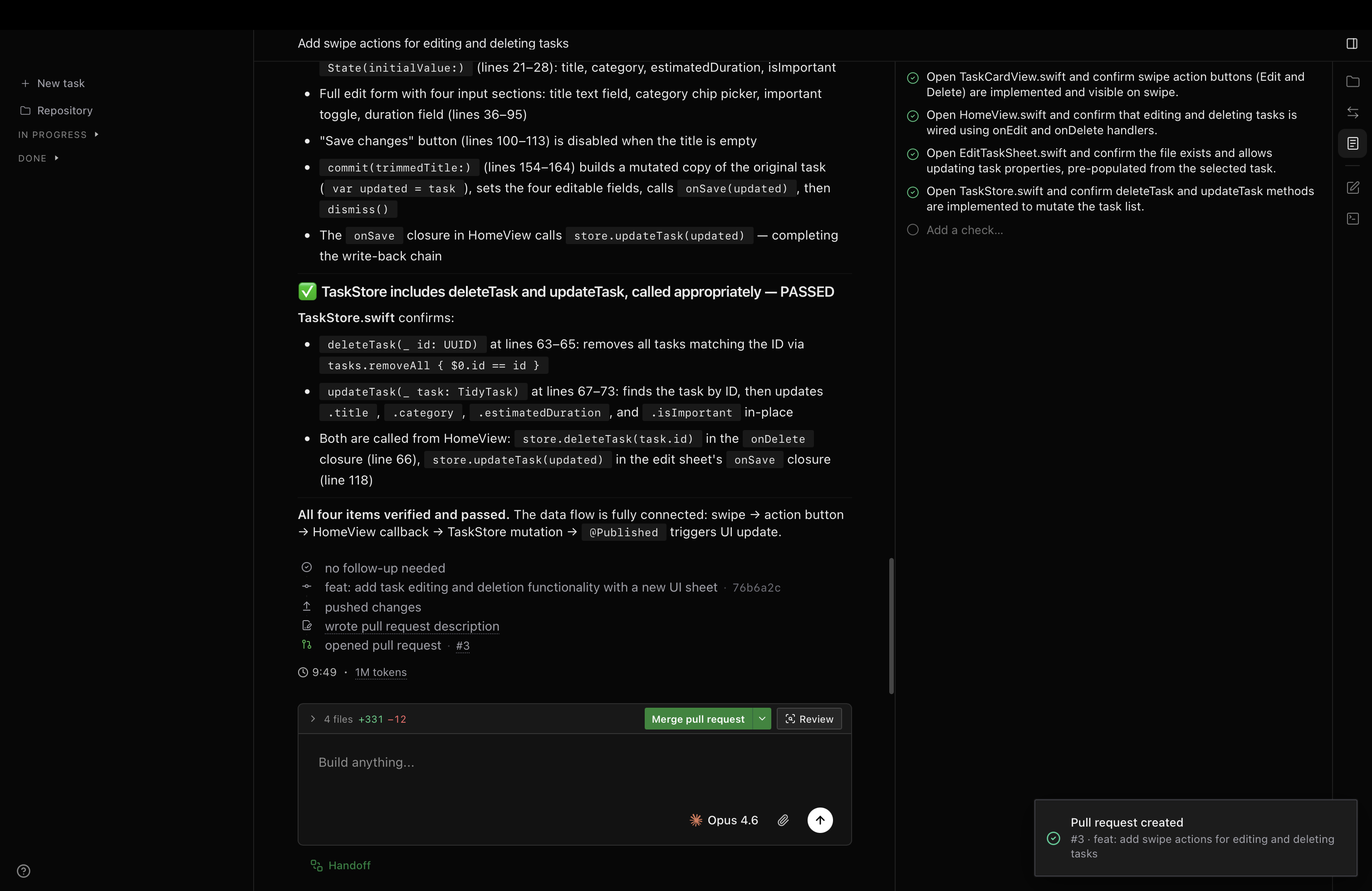 For our Tidy example, check that:
- Swiping a task reveals edit and delete actions.
- Edit lets you update the task.
- Delete removes the task.
### Need an adjustment?
Ask for a specific follow-up. For example:
> Show Edit before Delete in the swipe actions.
Metaphor can also use pull request comments from teammates
or review bots to make follow-up changes.
### Happy with the result?
Review any updates, then merge from Metaphor or GitHub.
If you’re not ready to publish the changes, you can also
commit locally without pushing.
## Ready for another?
Once you’re comfortable with the workflow, you can run multiple tasks at the same time.
For example:
```txt
# Task A — Add a due date to tasks.
# Task B — Add a way to filter completed tasks.
```
Metaphor keeps each task in its own working copy, so they can run independently without getting in each other’s way.
Metaphor can carry what it learns into future tasks.
For our Tidy example, check that:
- Swiping a task reveals edit and delete actions.
- Edit lets you update the task.
- Delete removes the task.
### Need an adjustment?
Ask for a specific follow-up. For example:
> Show Edit before Delete in the swipe actions.
Metaphor can also use pull request comments from teammates
or review bots to make follow-up changes.
### Happy with the result?
Review any updates, then merge from Metaphor or GitHub.
If you’re not ready to publish the changes, you can also
commit locally without pushing.
## Ready for another?
Once you’re comfortable with the workflow, you can run multiple tasks at the same time.
For example:
```txt
# Task A — Add a due date to tasks.
# Task B — Add a way to filter completed tasks.
```
Metaphor keeps each task in its own working copy, so they can run independently without getting in each other’s way.
Metaphor can carry what it learns into future tasks.